> ## Documentation Index
> Fetch the complete documentation index at: https://docs.cloud.cdata.com/llms.txt
> Use this file to discover all available pages before exploring further.
# Account
> アカウント全体の設定にアクセスできます。
**Account** タブでは、アカウント全体の設定にアクセスできます。
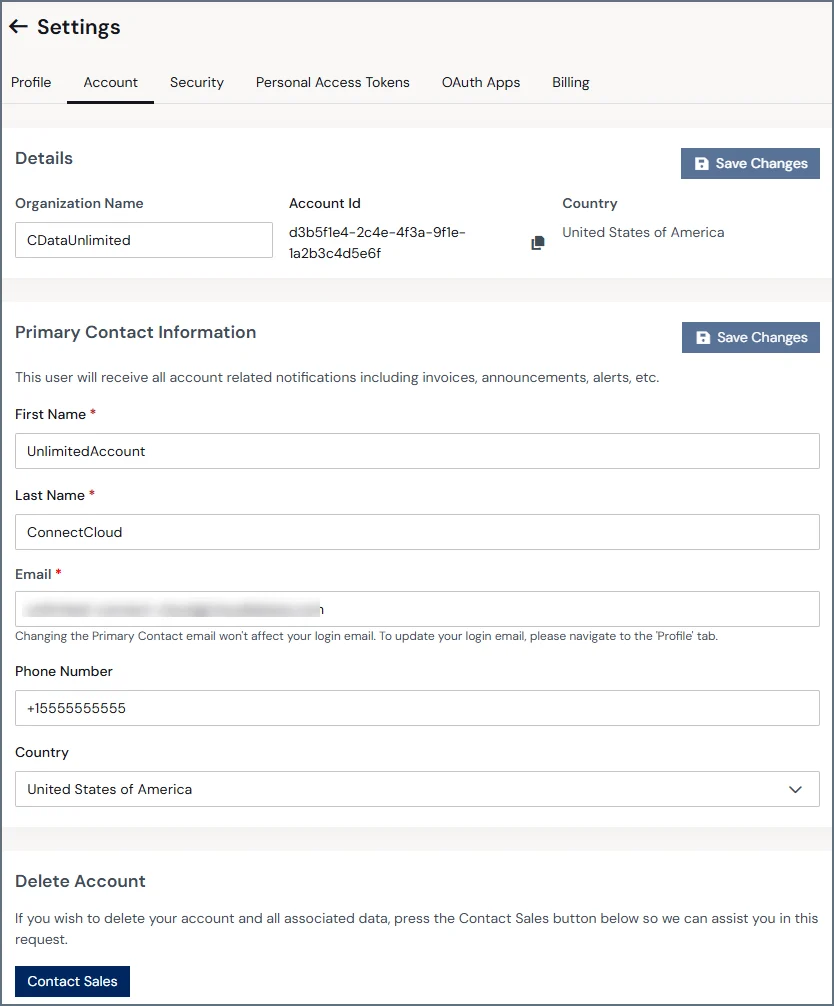 以下はこのページの各セクションの概要です。
## Details
**Details** セクションには、以下のグローバルアカウント情報が記載されています:
* Organization Name(法人名)
* Account Id(アカウントId)
* Country(国名)
## Primary Contact Information
このセクションには、請求書、お知らせ、およびその他のコミュニケーションのためのアカウントの主要な連絡先を定義する次のフィールドが含まれています。これらのフィールドは管理者のみ編集できます。
* First name(名)
* Last name(姓)
* Email(E メール)
* Phone Number(電話番号)
* Country(国名)
このセクションのメールアドレスはユーザーログイン用メールアドレスではありません。ログインメールアドレスは**Profile** タブで変更してください。
## Delete Account
Connect AI のアカウントとデータをすべて削除したい場合は、**Contact Sales** をクリックしてお問い合わせください。
アカウントを削除すると元に戻すことはできません。アカウント削除後にConnect AI を再度利用する場合は、新しいアカウントの作成が必要です。
以下はこのページの各セクションの概要です。
## Details
**Details** セクションには、以下のグローバルアカウント情報が記載されています:
* Organization Name(法人名)
* Account Id(アカウントId)
* Country(国名)
## Primary Contact Information
このセクションには、請求書、お知らせ、およびその他のコミュニケーションのためのアカウントの主要な連絡先を定義する次のフィールドが含まれています。これらのフィールドは管理者のみ編集できます。
* First name(名)
* Last name(姓)
* Email(E メール)
* Phone Number(電話番号)
* Country(国名)
このセクションのメールアドレスはユーザーログイン用メールアドレスではありません。ログインメールアドレスは**Profile** タブで変更してください。
## Delete Account
Connect AI のアカウントとデータをすべて削除したい場合は、**Contact Sales** をクリックしてお問い合わせください。
アカウントを削除すると元に戻すことはできません。アカウント削除後にConnect AI を再度利用する場合は、新しいアカウントの作成が必要です。