> ## Documentation Index
> Fetch the complete documentation index at: https://docs.cloud.cdata.com/llms.txt
> Use this file to discover all available pages before exploring further.
# SSIS
> This page outlines the steps to use the SSIS Components for Connect AI.
## Prerequisites
Before you can configure and use SSIS with Connect AI, you must first connect a data source to your Connect AI account. See [Sources](/en/Sources) for more information.
## Install the Provider
Follow these steps to download and install the Components:
Open the **Integrations** page of Connect AI.
In the **Dev Tools** section, click **SSIS**.
Download and run the setup file.
The installer can automatically detect software that supports SSIS. Select the options that you want the installer to configure.
## Connect to Connect AI
To add a new Connect AI connection to the SSIS package, follow these steps:
Right-click within the Connection Manager window and select **New Connection** from the menu.
Choose the **Connect AI Connection Manager** from the Add SSIS Connection Manager window.
The OAuth endpoint opens in your default web browser. Log in to complete the OAuth process.
Alternatively, you can create a new connection directly using the Connect AI Source or the Connect AI Destination. You can set the connection properties in the Connect AI Connection Manager window.
## Connect to a Workspace
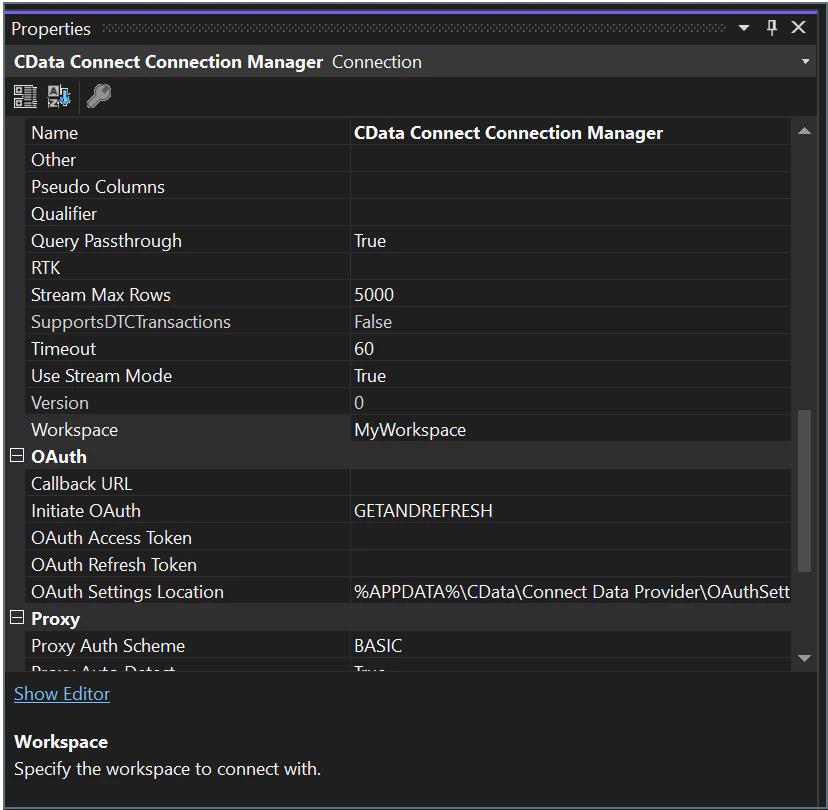
To connect the SSIS client to a specific [workspace](/en/Workspaces), you specify the workspace name in the **Workspace** field of the Connect AI Connection Manager.
 ## Learn More
To learn more information about using the SSIS Components for Connect AI, click [here](https://cdn.cdata.com/help/LFM/rssis/default.htm).
## Learn More
To learn more information about using the SSIS Components for Connect AI, click [here](https://cdn.cdata.com/help/LFM/rssis/default.htm).